Protocol connectivity
Modbus RTU SCADA Software and 3D Visualization
Use Kingfisher 3D SCADA with Modbus RTU serial networks to bring legacy RS-485 devices into modern browser dashboards and 3D plant views.
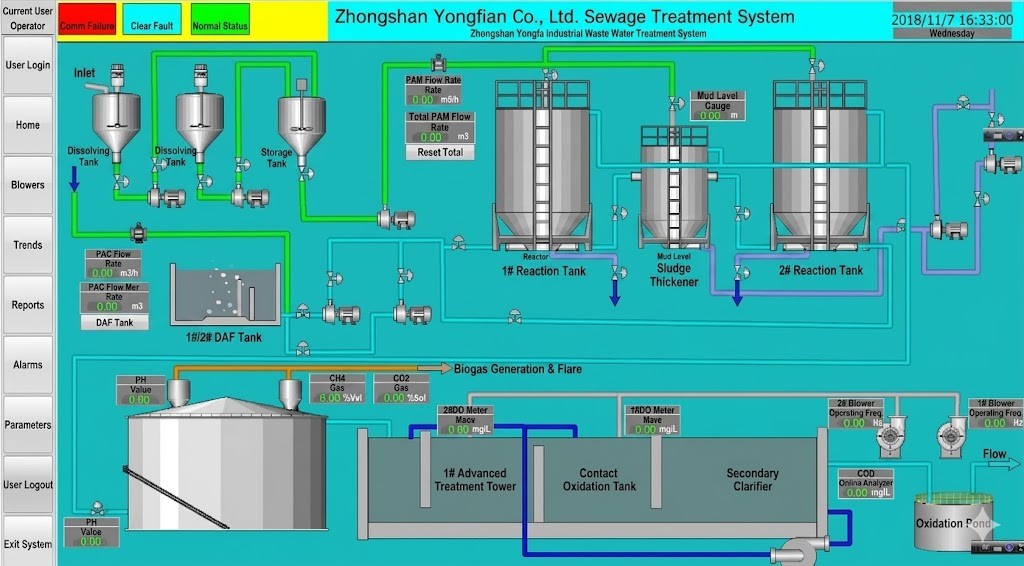
* Representative project visualization
Protocol overview and design intent
Modbus RTU remains common on RS-485 multi-drop buses for meters, transmitters and compact PLCs. It uses the same register model as Modbus TCP but frames data for serial links with CRC checks and quieter bandwidth expectations.
Teams searching for “Modbus RTU SCADA software” usually need to modernize an existing serial bus without ripping out field devices. Kingfisher connects through a serial/Ethernet gateway or host serial adapter and maps the same tags into 3D scenes.
RTU shines where cable runs already exist and Ethernet drops are expensive. The trade-off is shared-bus timing: every poll competes for the same wire.
Kingfisher treats Modbus RTU as a first-class acquisition path for brownfield plants: once registers land as tags, the same alarm, historization and 3D binding workflow used for Ethernet protocols applies. That continuity matters when operators expect one SCADA surface across mixed serial and TCP islands.
How Kingfisher connects
Typical deployments place a Modbus RTU-to-TCP gateway near the bus, then point Kingfisher at the gateway’s Modbus TCP interface—or attach a serial port where the runtime host sits on the RS-485 segment.
- Confirm baud rate, parity, stop bits and slave IDs on every device.
- Commission the serial gateway or host COM port with matching line settings.
- Create the Kingfisher channel (serial or gateway TCP) and list slave IDs.
- Map registers carefully—RTU timeouts are less forgiving than Ethernet.
- Stagger poll groups so long buses remain stable under load.
Data types and addressing
Addressing mirrors Modbus TCP: coils, discrete inputs, holding and input registers. Because RTU is slower, batch contiguous registers whenever the device allows. CRC errors usually indicate electrical noise, termination problems or baud mismatch—not SCADA bugs.
When commissioning, document every slave's function-code matrix and any manufacturer-specific register offsets. Many Modbus RTU SCADA dashboard failures are simply wrong offset conventions (0-based vs 1-based) or mixed word/byte order between vendors on the same bus.
- Slave ID uniqueness on the RS-485 segment
- Baud/parity/stop-bit consistency across devices
- Register batching to reduce turnaround time
- Timeout and retry policy tuned for cable length
Industries that rely on this protocol
Water utilities still run Modbus RTU on analyzer panels. HVAC plants use it for packaged RTUs and meters. Factories keep RTU on older CNC auxiliaries and power monitors while Ethernet carries higher-speed traffic.
For Modbus RTU visualization projects, start with the noisiest or most critical cabinets first—prove electrical health and poll budgets there—then expand the tag list. This staged approach reduces the risk of destabilizing an entire multi-drop segment during cutover.
- Legacy meter and analyzer cabinets
- Packaged mechanical skids with RS-485
- Brown-out brownfield upgrades
Known limits and engineering notes
Use gateway or host serial adapters validated for your plant reference architecture, and keep slave counts within the segment budget recommended by the gateway vendor.
RS-485 requires correct termination and biasing. Mixing baud rates on one bus will not work. Prefer gateways that isolate noisy segments.
- Shared-bus bandwidth limits poll frequency
- Electrical noise can elevate CRC error rates
- Long multi-drop runs need engineering discipline