Protocol connectivity
BACnet SCADA Software and 3D Visualization
Connect building controllers with Kingfisher 3D SCADA over BACnet to monitor HVAC, metering and plant rooms in interactive 3D.
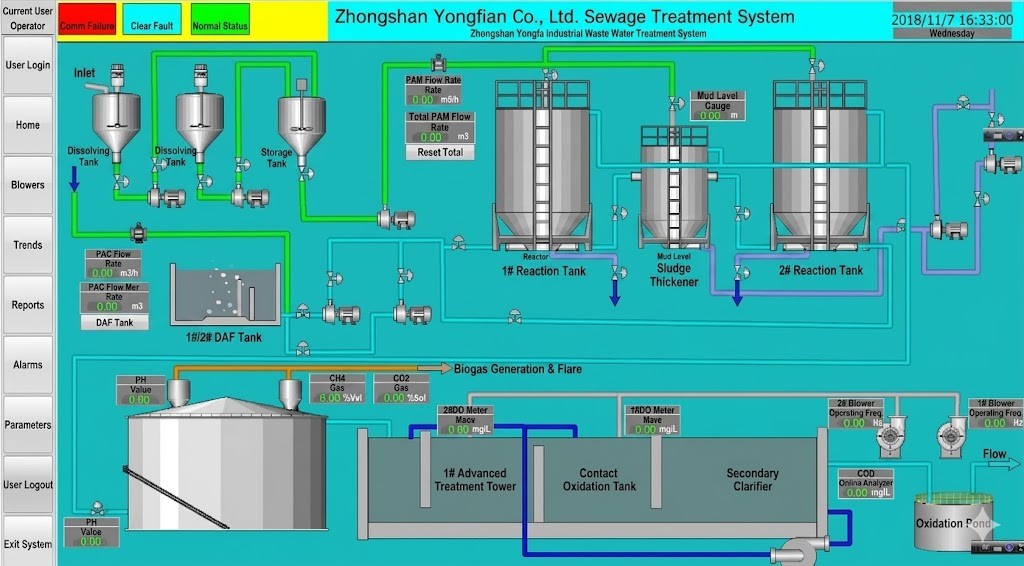
* Representative project visualization
Protocol overview and design intent
BACnet is the dominant open protocol in building automation. Controllers expose objects—Analog Input, Binary Output, Schedule, Trend Log—discovered by device instance and object identifiers.
Searches for “BACnet SCADA software”, “BACnet dashboard” and “BACnet HVAC monitoring software” come from facility teams that want operator graphics beyond vendor workstation tools. Kingfisher maps BACnet present-values into 3D mechanical rooms and campus overviews.
BACnet/IP rides on Ethernet/IP networks common in modern buildings. Kingfisher supports BACnet/IP only—not BACnet MS/TP. Field MS/TP controllers must be exposed through a BACnet/IP gateway or router before Kingfisher can discover and bind them.
Kingfisher positions BACnet connectivity for facilities teams that want building telemetry inside the same 3D SCADA used for plant utility systems. That matters when chilled water, boilers and AHUs must be visualized next to process equipment instead of trapped in a separate BMS client.
How Kingfisher connects
Create a BACnet channel, set the network interface / BBMD needs for BACnet/IP, discover devices, then bind object present-values to tags for visualization and alarming.
- Confirm the site uses BACnet/IP (Kingfisher does not connect to MS/TP trunks directly). Plan a BACnet/IP gateway if field devices are MS/TP-only.
- Configure device instance ranges and discovery settings.
- Discover controllers and import required objects.
- Map Present_Value and status flags into Kingfisher tags.
- Build 3D AHU/chiller scenes and verify COV or poll behavior.
Data types and addressing
BACnet objects carry properties. Present_Value is the usual live signal; Status_Flags indicate fault/override. Engineering units and reliability bits should be displayed for operators, not discarded.
Object identifiers are typed (AI, AO, BI, BO, AV, BV, etc.). Keep a naming convention that mirrors the mechanical schedule.
Object instance numbers and device IDs must be unique on the BACnet internetwork. Document vendor-specific proprietary objects carefully—many BACnet SCADA dashboard projects stumble when proprietary points are assumed to behave like standard AI/AO objects.
- Device instance and object identifier mapping
- Present_Value binding with units
- Status flag handling for fault/override
- Discovery vs static object lists
Industries that rely on this protocol
Commercial buildings, hospitals, campuses and data-center cooling plants standardize on BACnet for HVAC. District cooling/heating plants often mix BACnet field controllers with industrial PLCs at the energy center.
Campuses and hospitals often request BACnet visualization that shows floor-level HVAC status with drill-down to equipment. Pair the BACnet page with the HVAC solution guide so stakeholders see both protocol how-to and industry outcomes.
- Central plants and AHU galleries
- Campus BMS consolidation
- Mixed BACnet + industrial protocol sites
Known limits and engineering notes
Kingfisher supports BACnet/IP only. MS/TP devices require a BACnet/IP gateway or router; do not expect direct MS/TP polling from Kingfisher.
BACnet/IP across subnets needs BBMD/foreign device configuration—missing BBMD is a frequent “device not found” cause.
- BACnet/IP only — no native MS/TP
- BBMD required for many multi-subnet IP designs
- Vendor object naming can be inconsistent